New Features and Enhancements
This page describes all the engine features that are either new and introduced by Vinifera or are otherwise enhanced.
Aircraft
CurleyShuffle
[General]->CurleyShuffle, which controls if the aircraft will shuffle its position between firing at its target, can now be overridden on a per-type basis.
In RULES.INI:
[SOMEAIRCRAFT]  ; AircraftType
CurleyShuffle=  ; boolean, should this aircraft shuffle its position between firing at its target?
ReloadRate
[General]->ReloadRate, which controls the rate that aircraft will reload its ammo when docked with a helipad, can now be overridden on a per-type basis.
In RULES.INI:
[SOMEAIRCRAFT]  ; AircraftType
ReloadRate=     ; float, the rate that this aircraft will reload its ammo when docked with a helipad. Defaults to [General]->ReloadRate.
Animations
Additional Animation Spawning
Vinifera implements a new system for AnimTypes, allowing them to spawn additional animations at the start, middle and end of their sequence stages. All animations spawned will be from the center coordinate of the animation spawning these additional animations.
Note
The <stage> keyword used below can be replaced with: Start, Middle, End.
Note
The Start and End animations are spawned once per an animation’s lifetime, not on each loop iteration.
In ART.INI:
[SOMEANIM]            ; AnimType
<stage>Anims=         ; list of AnimTypes, list of animations to spawn at the designated stage of the animation sequence.
<stage>AnimsMinimum=  ; list of integers, the minimum number of animations that can spawn when choosing the random amount for each of the respective entries on the animations list. This list must have the same number of entries as the animations list. Defaults to 1 for each entry.
<stage>AnimsMaximum=  ; list of integers, the maximum number of animations that can spawn when choosing the random amount for each of the respective entries on the animations list. This list must have the same number of entries as the animations list. Defaults to 1 for each entry.
<stage>AnimsCount=    ; list of integers, the number of animations to spawn for each of the respective entries on the animations list. This list must have the same number of entries as the animations list. Defaults to 1 for each entry, and takes priority over the Minimum and Maximum entries.
<stage>AnimsDelay=    ; list of integers, the number of frames before the spawned animation appears for each of the respective entries on the animations list. This list must have the same number of entries as the animations list. Defaults to 0 for each entry.
Note
If the animation moves, delayed animations that it spawns will appear where it was when they were spawned, not when their delay expired.
In addition to this new system, a new key for setting the logical middle frame (the frame in which the craters etc, are spawned) can now be set.
In ART.INI:
[SOMEANIM]     ; AnimType
MiddleFrame=   ; list of integers, the frame numbers in which the animation system will perform various logics (e.g. spawn craters, scorch marks, fires). Defaults to auto-detect based on the largest frame of the shape file. A special value of -1 can be used to tell the animation system to use the exact middle frame of the shape file (if shape file has 30 frames, frame 15 will be used).
Note
MiddleFrame=0 is reserved and will not cause MiddleAnims to be spawned on every loop, but rather once at the start of the animation (like with StartAnims). To repeatedly spawn animations at the start of the loop, use MiddleFrame values of 1 or higher.
Middle Frame Explosion
Vinifera allows the animation to spawn an explosion on its biggest frame (also controlled by
MiddleFrame=) using itsWarhead=.
In ART.INI:
[SOMEANIM]         ; AnimType
ExplosionDamage=0  ; integer, if positive, the animation will spawn an explosion during its biggest frame dealing this much damage.
Various Keys Ported from Red Alert 2
Vinifera implements various AnimType keys from Red Alert 2.
In ART.INI:
[SOMEANIM]                  ; AnimType
HideIfNoTiberium=no         ; boolean, should this animation be hidden if the holding cell does not contain Tiberium?
ForceBigCraters=no          ; boolean, are the craters spawned by this animation when it ends much larger than normal?
ZAdjust=0                   ; integer, fudge to this animation's Z-axis (depth). Positive values move the animation "away from the screen"/"closer to the ground", negative values do the opposite.
Layer=<none>                ; LayerType, the map layer this animation is in when attached to an object.
                            ; Available Options: underground, surface, ground, air, and top.
                            ; NOTE: This will override the value of Surface= which forces a layer of ground.
SpawnsParticle=<none>       ; ParticleType, the particle to spawn at the mid-point of this animation.
                            ; This accepts any entry from the [Particles] list from RULES.INI.
NumParticles=0              ; integer, the number of particles to spawn (as defined by SpawnsParticle=).
SpawnsParticleOffset=0,0,0  ; 3 integers, an offset to be added to the spawner particles' coordinates.
Shadow=no                   ; boolean, does this animation show a shadow?
Damage Rate
Vinifera allows the animation to deal damage at a rate independent of main visual logic rate.
The calculation is the same as for
Rate=, that is, the animation will deal damage every900 / DamageRateframes, rounded down.
In ART.INI:
[SOMEANIM]    ; AnimType
DamageRate=-1 ; integer, the rate at which this animation deals damage. Defaults to `Rate`.
Stop Sound
Vinifera implements the
StopSoundkey from Red Alert 2 for AnimTypes.
In ART.INI:
[SOMEANIM]  ; AnimType
StopSound=  ; VocType, the sound effect to play when this animation has finished/been removed.
Buildings
Gate Sounds
Vinifera implements overrides for the gate rising and lowering sounds on BuildingTypes.
In RULES.INI:
[SOMEBUILDING]  ; BuildingType
GateUpSound=    ; VocType, sound effect to play when the gate is rising. Defaults to [AudioVisual]->GateUp.
GateDownSound=  ; VocType, sound effect to play when the gate is lowering. Defaults to [AudioVisual]->GateDown.
Vertical Gate
Normally, the game drawn gates flat on the ground when they are open. You can optionally turn this off to have a gate that is drawn above units when open instead.
In RULES.INI:
[SOMEBUILDING]  ; BuildingType
BarGate=no      ; boolean, should the gate be drawn normally, as opposed to flat when it's open.
ProduceCash
Vinifera implements the Produce Cash logic from Red Alert 2. The system works exactly as it does in Red Alert 2, but with the following differences:
Ability to set a total budget available to the building.
The logic is sensitive to
Powered=yes, meaning it will stop when the house has low power.
In RULES.INI:
[SOMEBUILDING]                ; BuildingType
ProduceCashStartup=0          ; integer, credits when captured from a house that has MultiplayPassive=yes set.
ProduceCashAmount=0           ; integer, amount every give to/take from the house every delay. This value supports negative values which will deduct money from the house which owns this building.
ProduceCashDelay=0            ; integer, frame delay between amounts.
ProduceCashBudget=0           ; integer, the total cash budget for this building.
ProduceCashResetOnCapture=no  ; boolean, reset the buildings available budget when captured.
ProduceCashStartupOneTime=no  ; boolean, is the bonus on capture a "one one" special (further captures will not get the bonus)?
Crew
Vinifera allows customizing the chance that an engineer will exit a building upon its deconstruction.
In RULES.INI:
[SOMEBUILDING]    ; BuildingType
EngineerChance=0  ; integer (%), what is the chance that an engineer will exit this building as its crew. Defaults to 25 for Factory=BuildingType, 0 otherwise.
Warning
It is not recommended to set EngineerChance=100, as this may put the game into an infinite loop when it insists an infantry other than an engineer exits the building.
Special Animations for MultiMissile and ChemMissile Super Weapons
Super weapons with
Type=MultiMissileandType=ChemMissilenow make the silo display animations when fired.SpecialAnimis played before the missile is launched, and is typically the silo opening animation.SpecialAnimTwois played in betweenSpecialAnimandSpecialAnimThree, after the missile has been launched, and is typically a looping animation of the silo being open.SpecialAnimThreeis played afterSpecialAnimTwoand is typically the silo closing animation.
In ART.INI:
[SOMEBUILDING]            ; BuildingType
SpecialAnim=              ; AnimType, the animation to play when the silo is opening.
SpecialAnimDamaged=       ; AnimType, the animation to play when the silo is opening, and the silo is damaged.
SpecialAnimTwo=           ; AnimType, the animation to play when the silo is open.
SpecialAnimTwoDamaged=    ; AnimType, the animation to play when the silo is open, and the silo is damaged.
SpecialAnimThree=         ; AnimType, the animation to play when the silo is closing.
SpecialAnimThreeDamaged=  ; AnimType, the animation to play when the silo is closing, and the silo is damaged.
Additionally, the main building shape may be hidden when any of the special anims is playing.
In ART.INI:
[SOMEBUILDING]            ; BuildingType
HideDuringSpecialAnim=no  ; boolean, should the main shape of the building be hidden when any special anim is playing.
Roof War Factory Animations
Vinifera allows war factories to display a roof opening animation when a unit using the Jump Jet locomotor is produced, similar to Red Alert 2.
In ART.INI:
[SOMEBUILDING]      ; BuildingType
RoofDeployingAnim=  ; AnimType, the animation of the open roof when a Jump Jet is exiting the factory.
UnderRoofDoorAnim=  ; AnimType, the animation of the rest of the building when a Jump Jet is exiting the factory.
WallOwner
By default, all buildings in the game claim ownership of nearby pre-placed walls on maps. Vinifera allows disabling this behaviour per building, so that, for example, invisible light posts can be made not to claim ownership of nearby walls for their owning house.
In RULES.INI:
[SOMEBUILDING]      ; BuildingType
WallOwner=no        ; boolean, should the building claim ownership of pre-placed walls near it?
Harvesters
In the original game, harvesters always prefer free refineries over occupied ones, even if the free refinery was much farther away than the occupied refinery. Vinifera fixes this so that harvesters now prefer queueing to occupied refineries if they are much closer than free refineries. The distance for this preference is customizable.
In RULES.INI:
[General]
; When looking for refineries, harvesters will prefer a distant free.
; refinery over a closer occupied refinery if the refineries' distance.
; difference in cells is less than this.
MaxFreeRefineryDistanceBias=16
Ice
Ice strength can now be customized.
In RULES.INI:
[CombatDamage]
IceStrength=0   ; integer, the strength of ice. Higher values make ice less likely to break from a shot.
                ; 0 makes ice break from any shot.
Ice destruction can now be enabled or disabled per-scenario.
In the map file:
[Basic]
IceDestructionEnabled=no
Isometric Tiles
Allowed Tiberiums
Vinifera allows specifying which Tiberium types can grow on a specific IsometricTileType (provided
AllowTiberium=yes).
In TEMPERAT.INI (or other theater file):
[SOMEISOTILESET]   ; IsometricTileType
AllowedTiberiums=  ; list of Tiberiums (INI names), which Tiberiums can grow on this tile. None means any.
Allowed Smudges
Vinifera allows specifying which Smudges types can appear on a specific IsometricTileType (provided
Morphable=yes).
In TEMPERAT.INI (or other theater file):
[SOMEISOTILESET]  ; IsometricTileType
AllowedSmudges=   ; list of SmudgeTypes, which Smudges can appear on this tile. None means any.
AllowVeins
Similar to the
AllowTiberiumkey, Vinifera allows specifying if Veins can grow on a specific IsometricTileType (provided all other requirements are satisfied).
In TEMPERAT.INI (or other theater file):
[SOMEISOTILESET]  ; IsometricTileType
AllowVeins=yes    ; boolean, can Veins can grow on this tile?
WaterTunnel
The
WaterTunnelkey turns this tile’sTunnelLandType tiles water-passable.
In TEMPERAT.INI (or other theater file):
[SOMEISOTILESET]  ; IsometricTileType
WaterTunnel=no    ; boolean, is this tile's tunnel on water?
Infantry
Mechanic and OmniHealer
Vinifera reimplements the legacy
Mechaniclogic from Red Alert. In addition to this, a new key to allow the healing of both infantry and units has been added.
Note
Both these systems require the warhead to deal negative damage.
In RULES.INI:
[SOMEINFANTRY]  ; InfantryType
Mechanic=no     ; boolean, should this infantry only consider unit and aircraft as valid targets?
OmniHealer=no   ; boolean, should this infantry consider other infantry, unit, and aircraft as valid targets?
Note
When an infantry with Mechanic=yes and OmniHealer=yes is selected and the mouse is over a transport unit or aircraft, holding down the ALT key (Force Move) will allow you to enter the transport instead of healing it.
Overlays
WaterTunnel
If the cell the overlay is on has the
TunnelLandType, theWaterTunnelkey turns this tile water-passable.
In RULES.INI:
[SOMEOVERLAY]   ; OverlayType
WaterTunnel=no  ; boolean, is this tile's tunnel on water?
Projectiles
SpawnDelay
Vinifera adds the
SpawnDelaykey from Red Alert 2.
In ART.INI:
[SOMEBULLET]  ; BulletType
SpawnDelay=3  ; unsigned integer, the number of frames between each of the spawned trailer animations.
Torpedoes
Vinifera ports the Torpedo logic from Red Alert 1. Torpedoes can only be fired at targets on water. Additionally, torpedoes explode when they collide with land or an enemy unit.
In RULES.INI:
[SOMEBULLET]  ; BulletType
Torpedo=yes   ; boolean, is this projectile considered a torpedo?
Sides
Crew
Vinifera adds the option to customize the crew a side uses.
In RULES.INI:
[SOMESIDE]        ; Side
Crew=             ; InfantryType, this side's crew. Defaults to [General]->Crew.
Engineer=         ; InfantryType, this side's engineer. Defaults to [General]->Engineer.
Technician=       ; InfantryType, this side's technician. Defaults to [General]->Technician.
Disguise=         ; InfantryType, the type this side will see other players' spies as. Defaults to [General]->Disguise.
SurvivorDivisor=  ; integer, this side's survivor divisor. Defaults to [General]->SurvivorDivisor.
Colors
Vinifera adds the option to customize what colors are used in the user interface per-side.
In RULES.INI:
[SOMESIDE]          ; Side
UIColor=LightGold   ; ColorScheme, the color to be used when drawing UI elements.
ToolTipColor=Green  ; ColorScheme, the color to be used when drawing tooltips.
Power Plants
Vinifera allows customizing what power plants the AI will build per side.
In RULES.INI:
[SOMESIDE]           ; Side
RegularPowerPlant=   ; BuildingType, the regular power plant this side uses.
AdvancedPowerPlant=  ; BuildingType, the advanced power plant this side uses.
PowerTurbine=        ; BuildingType, the power turbine this side uses.
The AI will prioritize upgrading its existing regular power plants with turbines. If possible, it will then construct advanced power plants; otherwise, it will build additional regular power plants.
If the side’s name contains
GDI, the defaults are as follows:
RegularPowerPlant=[General]->GDIPowerPlant
AdvancedPowerPlant=<none>
PowerTurbine=[General]->GDIPowerTurbine
Otherwise, the defaults are as follows:
RegularPowerPlant=[General]->NodRegularPower
AdvancedPowerPlant=[General]->NodAdvancedPower
PowerTurbine=<none>
Note
If you want to remove a key’s default value, you can set its value to <none>.
Hunter-Seeker
Vinifera adds the option to customize what unit serves as the Hunter-Seeker per side.
The default Hunter-Seeker is
[General]->GDIHunterSeekerif the side’s name containsGDI; otherwise, it defaults to[General]->NodHunterSeeker.
In RULES.INI:
[SOMESIDE]     ; Side
HunterSeeker=  ; UnitType, the unit that is this side's Hunter-Seeker.
Super Weapons
Out of Range Cursor
Vinifera allows customizing the mouse cursor used for ranged super weapons (currently, the EMPulse Cannon).
In RULES.INI:
[SOMESUPERWEAPON]              ; SuperWeaponType
ActionOutOfRange=EMPulseRange  ; ActionType, the action used by this super weapon when it's out of range.
Missile Launched Voice
Vinifera allows customizing the voiceline played when a Super Weapon with
Type=MultiMissileorType=ChemMissileis launched.
In RULES.INI:
[SOMESUPERWEAPON]              ; SuperWeaponType
MissileLaunchedVoice=00-I150   ; VoxType, the voice to play when this missile is launched.
Mouse Cursors and Actions
Mouse Cursors
Vinifera implements a new system to customize mouse cursor type properties, as well as add new mouse cursors.
Mouse cursors are specified in a new
INIfile,MOUSE.INI. If theINIis not present, the game will default to the normal hardcoded mouse type properties.
Note
Vanilla cursors are always present implicitly, but their properties can be overridden in MOUSE.INI.
Basic
MOUSE.INI;============================================================================ ; MOUSE.INI ; ; This control file is used to control the frames and rates of the various ; mouse pointers. ; ; $Author: $ ; $Archive: $ ; $Modtime: $ ; $Revision: $ ;============================================================================ ; ******* Mouse List ******* ; Lists the mouse types in this control file. Each mouse pointer is given a ; unique (internal only) identifier name, these can not be renamed or removed! ; ; FORMAT; ; <StartFrame>,<FrameCount>,<FrameRate>,<SmallFrame>,<SmallFrameCount>,<SmallFrameRate>,<HotspotX>,<HotspotY> ; ; A hotspot value can either be an integer value (ranged between the negative value of the width/height ; of the shape frame, and the positive value of the width/height of the shape frame), or one of the ; following hotspot types; ; HotspotX = left, center, right ; HotspotY = top, middle, bottom ; ; NOTE: ; A SmallFrame value of "-1" means it will use the normal pointer when ; the mouse is over the radar panel. [MouseTypes] Normal=0,1,0,1,1,0,left,top ScrollN=2,1,0,-1,1,0,center,top ScrollNE=3,1,0,-1,1,0,right,top ScrollE=4,1,0,-1,1,0,right,middle ScrollSE=5,1,0,-1,1,0,right,bottom ScrollS=6,1,0,-1,1,0,center,bottom ScrollSW=7,1,0,-1,1,0,left,bottom ScrollW=8,1,0,-1,1,0,left,middle ScrollNW=9,1,0,-1,1,0,left,top NoScrollN=10,1,0,-1,1,0,center,top NoScrollNE=11,1,0,-1,1,0,right,top NoScrollE=12,1,0,-1,1,0,right,middle NoScrollSE=13,1,0,-1,1,0,right,bottom NoScrollS=14,1,0,-1,1,0,center,bottom NoScrollSW=15,1,0,-1,1,0,left,bottom NoScrollW=16,1,0,-1,1,0,left,middle NoScrollNW=17,1,0,-1,1,0,left,top CanSelect=18,13,4,-1,13,4,center,middle CanMove=31,10,4,42,10,4,center,middle NoMove=41,1,0,52,1,0,center,middle StayAttack=53,5,4,63,5,4,center,middle CanAttack=58,5,4,63,5,4,center,middle AreaGuard=68,5,4,73,5,4,center,middle Tote=78,10,4,-1,10,4,center,middle NoTote=88,1,0,-1,1,0,center,middle Enter=89,10,4,100,10,4,center,middle NoEnter=99,1,0,63,1,0,center,middle Deploy=110,9,4,-1,9,4,center,middle NoDeploy=119,1,0,-1,1,0,center,middle Undeploy=120,9,4,-1,9,4,center,middle Sell=129,10,4,-1,10,4,center,middle SellUnit=139,10,4,-1,10,4,center,middle NoSell=149,1,0,-1,1,0,center,middle GRepair=150,20,4,-1,20,4,center,middle Repair=170,20,4,-1,20,4,center,middle NoRepair=190,1,0,-1,1,0,center,middle Waypoint=191,10,4,-1,10,4,center,middle PlaceWaypoint=201,10,4,-1,10,4,center,middle NoPlaceWaypoint=211,1,0,-1,1,0,center,middle SelectWaypoint=212,7,4,-1,7,4,center,middle EnterWaypointMode=219,10,4,-1,10,4,center,middle FollowWaypoint=229,10,4,-1,10,4,center,middle ToteWaypoint=239,10,4,-1,10,4,center,middle RepairWaypoint=249,10,4,-1,10,4,center,middle AttackWaypoint=259,10,4,-1,10,4,center,middle EnterWaypoint=269,10,4,-1,10,4,center,middle LoopWaypointPath=356,1,0,-1,1,0,center,middle AirStrike=279,20,4,-1,20,4,center,middle ; Ion Cannon ChemBomb=299,10,4,-1,10,4,center,middle Demolitions=309,10,4,-1,10,4,center,middle NuclearBomb=319,10,4,-1,10,4,center,middle TogglePower=329,16,2,-1,16,2,center,middle NoTogglePower=345,1,0,-1,1,0,center,middle Heal=346,10,4,42,10,4,center,middle EMPulse=357,20,3,-1,20,3,center,middle EMPulseRange=377,1,0,-1,1,0,center,middle ScrollCoast=378,1,0,-1,1,0,center,middle ScrollCoastN=379,1,0,-1,1,0,center,middle ScrollCoastNE=380,1,0,-1,1,0,center,middle ScrollCoastE=381,1,0,-1,1,0,center,middle ScrollCoastSE=382,1,0,-1,1,0,center,middle ScrollCoastS=383,1,0,-1,1,0,center,middle ScrollCoastSW=384,1,0,-1,1,0,center,middle ScrollCoastW=385,1,0,-1,1,0,center,middle ScrollCoastNW=386,1,0,-1,1,0,center,middle PatrolWaypoint=387,10,4,-1,10,4,center,middle
Actions
Vinifera also implements a new system to customize action type properties, as well as add action types cursors.
Actions are specified in a new
INIfile,ACTION.INI. If theINIis not present, the game will default to the normal hardcoded action type properties.
Note
Vanilla actions are always present implicitly, but their properties can be overridden in ACTION.INI.
Basic
ACTION.INI;============================================================================ ; ACTION.INI ; ; This control file is used to control the mouse pointers used for various actions. ; ; $Author: $ ; $Archive: $ ; $Modtime: $ ; $Revision: $ ;============================================================================ ; ******* Action List ******* ; Lists the action types in this control file. Each action is given a ; unique (internal only) identifier name, these can not be renamed or removed! ; ; FORMAT; ; <Mouse>,<ShadowMouse> ; ; Mouse and ShadowMouse must be names of mouse types, listed in MOUSE.INI. ; ShadowMouse is shown when the mouse pointer is over shroud, Mouse is shown otherwise. [ActionTypes] None=Normal,Normal Move=CanMove,CanMove NoMove=NoMove,NoMove Enter=Enter,Normal Self=Deploy,Normal Attack=CanAttack,CanMove Harvest=CanAttack,Normal Select=CanSelect,Normal ToggleSelect=CanSelect,Normal Capture=Enter,Normal Repair=Repair,NoRepair Sell=Sell,NoSell SellUnit=SellUnit,NoSell NoSell=NoSell,NoSell NoRepair=NoRepair,NoRepair Sabotage=Demolitions,Normal Tote=Tote,NoTote DontUse2=Normal,Normal DontUse3=Normal,Normal Nuke=NuclearBomb,NuclearBomb DontUse4=Normal,Normal DontUse5=Normal,Normal DontUse6=Normal,Normal DontUse7=Normal,Normal DontUse8=Normal,Normal GuardArea=AreaGuard,AreaGuard Heal=Heal,Heal Damage=Enter,Normal GRepair=GRepair,Normal NoDeploy=NoDeploy,NoDeploy NoEnter=NoEnter,NoEnter NoGRepair=NoRepair,NoRepair TogglePower=TogglePower,NoTogglePower NoTogglePower=NoTogglePower,NoTogglePower EnterTunnel=Enter,Normal NoEnterTunnel=Normal,NoEnter EMPulse=EMPulse,EMPulse IonCannon=AirStrike,AirStrike EMPulseRange=EMPulseRange,EMPulseRange ChemBomb=ChemBomb,ChemBomb PlaceWaypoint=PlaceWaypoint,PlaceWaypoint NoPlaceWaypoint=NoPlaceWaypoint,NoPlaceWaypoint EnterWaypointMode=EnterWaypointMode,EnterWaypointMode FollowWaypoint=FollowWaypoint,FollowWaypoint SelectWaypoint=SelectWaypoint,SelectWaypoint LoopWaypointPath=LoopWaypointPath,LoopWaypointPath DragWaypoint=Normal,Normal AttackWaypoint=AttackWaypoint,AttackWaypoint EnterWaypoint=EnterWaypoint,EnterWaypoint PatrolWaypoint=PatrolWaypoint,PatrolWaypoint DropPod=AirStrike,AirStrike RallyToPoint=CanMove,Normal AttackSupport=Normal,Normal PlaceBeacon=PlaceWaypoint,PlaceWaypoint PlaceBeacon1=PlaceWaypoint,PlaceWaypoint PlaceBeacon2=PlaceWaypoint,PlaceWaypoint PlaceBeacon3=PlaceWaypoint,PlaceWaypoint PlaceBeacon4=PlaceWaypoint,PlaceWaypoint PlaceBeacon5=PlaceWaypoint,PlaceWaypoint PlaceBeacon6=PlaceWaypoint,PlaceWaypoint PlaceBeacon7=PlaceWaypoint,PlaceWaypoint SelectBeacon=SelectWaypoint,SelectWaypoint
Technos
Spawners
Vinifera ports the spawn manager, responsible for AircraftType missiles and aircraft carriers from Red Alert 2.
In RULES.INI:
[SOMETECHNO]             ; TechnoType
Spawns=                  ; AircraftType, the type that this Techno spawns.
SpawnsNumber=0           ; integer, the number of aircraft that this Techno spawns.
SpawnRegenRate=0         ; integer, the time it takes for a spawn to regenerate after death.
SpawnReloadRate=0        ; integer, the time it takes for a spawn to reload its ammo and restore its strength.
SpawnSpawnRate=20        ; integer, the time between two consecutive spawns being created.
SpawnLogicRate=10        ; integer, the delay with which the spawn manager processes its logic.
MaxRandomSpawnOffset=0   ; integer, if greater than 0, the spawn offset will be randomly shifted in the horizontal plane by up to this many leptons.
Additionally, it’s possible to specify an alternative voxel model to use when the spawner has no spawns docked.
In RULES.INI:
[SOMETECHNO]        ; TechnoType
NoSpawnAlt=no       ; boolean, should this Techno use an alternative voxel model when it's out of spawns?
                    ; When true, the model named SOMETECHNOWO will be used when it's out of spawns.
Note
NoSpawnAlt is only available for Technos that use voxel models.
Note
Unlike in Red Alert 2, the voxel model used by NoSpawnAlt is loaded into a separate area of memory from the turret model. This means that Technos that have NoSpawnAlt=yes set can have turrets.
For the unit to create spawns upon attack, a flag needs to be set on its weapon.
In RULES.INI:
[SOMEWEAPON]  ; WeaponType
Spawner=no    ; boolean, does this weapon spawn aircraft when firing?
Additionally, spawned objects should have
Spawned=yesto prevent the announcement of their death by EVA.
In RULES.INI:
[SOMETECHNO]  ; TechnoType
Spawned=no    ; boolean, is this object meant to be spawned, either by a spawner, or off-map?
Rockets
For rocket launchers to function, RocketTypes need to be defined.
In RULES.INI:
[RocketTypes]
0=SOMEROCKET

[SOMEROCKET]            ; RocketType
PauseFrames=0           ; integer, how many frames the rocket pauses on the launcher before tilting.
TiltFrames=60           ; integer, how many frames it takes for the rocket to tilt to firing position.
PitchInitial=0.21       ; float, starting pitch of the rocket before tilting up (0 = horizontal, 1 = vertical).
PitchFinal=0.5          ; float, ending pitch of the rocket after tilting up before it fires.
TurnRate=0.05           ; float, pitch maneuverability of rocket in air.
RaiseRate=1             ; integer, how much the missile will raise each turn on the launcher (for Cruise Missiles only).
Acceleration=0.4        ; float, this much is added to the rocket's velocity each frame during launch.
Altitude=768            ; integer, cruising altitude in leptons (1/256 of a cell): at this height rocket begins leveling off.
Damage=200              ; integer, the rocker does this much damage when it explodes.
EliteDamage=400         ; integer, the rocker does this much damage when it explodes when the spawner is elite.
BodyLength=256          ; integer, the length of the body of the rocket in leptons (1/256 of a cell).
LazyCurve=yes           ; boolean, is the rocket's path a big, lazy curve, like the V3 is Red Alert 2.
CruiseMissile=no        ; boolean, is this rocket a Cruise Missile, like Boomer missiles in Yuri's Revenge.
CloseEnoughFactor=1.0   ; float, LazyCurve=no rockets begin turning toward their target after flying parallel to the ground when their horizontal distance from the target is a specified multiple of their vertical distance.
Type=                   ; AircraftType, the type this rocket is associated with.
Warhead=                ; WarheadType, the warhead that this rocket's explosion uses.
EliteWarhead=           ; WarheadType, the warhead that this rocket's explosion uses when the spawner is elite.
TakeoffAnim=            ; AnimType, the takeoff animation used by this rocket.
TrailAnim=              ; AnimType, the trail animation used by this rocket.
TrailSpawnDelay=3       ; integer, the delay after a trail anim is spawned until the next one spawns.
TrailAppearDelay=2      ; integer, the delay before a newly spawned trail anim appears.
Inaccuracy=0            ; integer, the maximum number of leptons that this rocket is able to miss its target by.
Note
The rocket object is an AircraftType, like in Red Alert 2. When determining its characteristics, the rocket will use the first RocketType whose Type= is equal to the type of the rocket itself.
If
SpawnsNumber > 1, missiles can be made to spawn at alternating offsets. For this,Burston theWeaponneeds to be set to a value greater than1. Up toBurstmissiles will use alternating spawn offsets, and the rest will use the the odd missiles’ spawn offset.Additionally, an additional offset for missiles spawned at even numbers can be defined.
In ART.INI:
[SOMETECHNO]             ; TechnoType
SecondSpawnOffset=0,0,0  ; 3 integers, an offset to be added to the firing FLH for the every second spawn's location.
Additionally, missile aircraft should use rocket locomotion, as well as have
MissileSpawn=yes.
In RULES.INI:
[SOMETECHNO]     ; TechnoType
Locomotor={B7B49766-E576-11d3-9BD9-00104B972FE8}  ; Rocket locomotion
MissileSpawn=no                                   ; boolean, is this object a missile meant to be spawned?
New ArmorTypes
Vinifera allows adding new armor types, as well as customizing the ability of warheads to target them.
In RULES.INI:
[ArmorTypes]
5=myarmor  ; string, armor name, recommended to be lowercase

[myarmor]
Modifier=100%       ; % or float, default Verses value for this armor.
ForceFire=yes       ; boolean, whether warheads can by default force-fire at this armor type.
Retaliate=yes       ; boolean, whether warheads can by default retaliate against this armor type.
PassiveAcquire=yes  ; boolean, whether warheads can by default passive acquire this armor type.
BaseArmor=          ; ArmorType, the armor that provides the default values for this armor (this includes the Verses= or Modifier.*= values defined for the armor in every warhead's section).
Warning
Make sure not to specify BaseArmor recursively (in a loop).
Note
Vanilla ArmorTypes are present implicitly, redeclaring them has no effect. However, it is possible to override default values for them in their respective sections.
The new armor can be assigned to a Techno as any default armor.
Note
Armor names are case-sensitive, including when part of INI keys.
In RULES.INI:
[SOMETECHNO]   ; TechnoType
Armor=myarmor  ; ArmorType
Verses for the new armor are appended to the end of the vanilla Verses key.
Additionally, it is possible to customize whether a unit using a certain warhead can force-fire, retaliate or passively acquire units with a certain armor type. This mimics the special behavior of RA2’s 0% and 1%, as well as Ares’s 2%.
It is also possible to override the game’s default hardcoded behavior for infantry using warheads with 0% verses against armor “heavy”.
In RULES.INI:
[SOMEWARHEAD]                           ; WarheadType
Verses=100%,100%,100%,100%,100%,100%    ; list of % or floats, the damage multiplier against a specific armor type. 1 entry per ArmorType.
ForceFire=yes,yes,yes,yes,yes,yes       ; list of booleans, whether this warhead can be used to force-fire at a specific armor type. 1 entry per ArmorType.
Retaliate=yes,yes,yes,yes,yes,yes       ; list of booleans, whether this warhead can be used to retaliate against a specific armor type. 1 entry per ArmorType.
PassiveAcquire=yes,yes,yes,yes,yes,yes  ; list of booleans, whether this warhead can be used to passive acquire a specific armor type. 1 entry per ArmorType.
Organic=no                              ; boolean, whether an infantry using this warhead can passively acquire or retaliate against vehicles, aircraft or buildings. This overrides the RA/TS 0% behavior.
Alternatively, separate keys may be used, achieving higher clarify and allowing for setting values out of order. These keys take priority over the list keys.
In RULES.INI:
[SOMEWARHEAD]               ; WarheadType
Modifier.myarmor=100%       ; % or float, the damage multiplier against a this armor type.
ForceFire.myarmor=yes       ; boolean, whether this warhead can be used to force-fire at a this armor type.
Retaliate.myarmor=yes       ; boolean, whether this warhead can be used to retaliate against a this armor type.
PassiveAcquire.myarmor=yes  ; boolean, whether this warhead can be used to passive acquire a this armor type.
Warning
It is recommended to set both Retaliate.X and PassiveAcquire.X to no if ForceFire.X is disabled. Otherwise, units may lock onto targets they are not permitted to fire at and continue to target them until they receive another order.
Required/Forbidden Houses
Vinifera ports the
RequiredHousesandForbiddenHouseskeys from Red Alert 2.
In RULES.INI:
[SOMETECHNO]      ; TechnoType
RequiredHouses=   ; list of HouseTypes, if specified, only these houses will be able to build this, provided they fulfil all other requirements.
ForbiddenHouses=  ; list of HouseTypes, if specified, these houses will never be able to build this.
Crew
Vinifera allows customizing how many crew will exit a unit upon its death. Crew will only exit if
Crewed=yes, even ifCrewCountis set to a number greater than 0.
In RULES.INI:
[SOMETECHNO]  ; TechnoType
CrewCount=1   ; integer, how many crew will exit this unit.
Note
This tag does not apply to buildings.
Alternative Water Image
WaterAltcan now be used to control whether a voxel unit uses a different model when in water, similar to the APC in vanilla.
In RULES.INI:
[SOMETECHNO]  ; TechnoType
WaterAlt=no   ; boolean, should this Techno use a different voxel model when in water. Defaults to yes for [APC], no for other Technos.
              ; When true, the model named SOMETECHNOW will be used when it's in water.
Note
Unlike the APC in vanilla, the alternative model is loaded into a separate area of memory from the turret model. This means that Technos that have WaterAlt=yes set can have turrets.
AILegalTarget
AILegalTargetcan be used with TechnoTypes to forbid the AI from performing a targeting evaluation on this object. It is subject toLegalTarget=yes.
In RULES.INI:
[SOMETECHNO]       ; TechnoType
AILegalTarget=yes  ; boolean, can this object be the target of an attack or move command by the computer?
CanPassiveAcquire
The
CanPassiveAcquirekey has been backported from Red Alert 2, which controls whether or not the object may acquire targets (within range) and attack them automatically, without player input.
In RULES.INI:
[SOMETECHNO]           ; TechnoType
CanPassiveAcquire=yes  ; boolean, can this object acquire targets that are within its weapons range and attack them automatically?
Note
In Red Alert 2, this key has a spelling error for “Acquire”, spelling it as “Aquire”. This has been fixed in Vinifera.
CanRetaliate
The
CanRetaliatekey has been backported from Red Alert 2, which controls if the object may retaliate (if other conditions are met) when hit by enemy fire.
In RULES.INI:
[SOMETECHNO]      ; TechnoType
CanRetaliate=yes  ; boolean, can this unit retaliate (if general conditions are met) when hit by enemy fire?
Idle Animation Improvements
The
IdleRatekey has been backported from Red Alert 2. This allows units with shape or voxel graphics to animate with their walk frames while idle (standing still).
Note
This key can be defined on either the RULES.INI section or the ART.INI image section, but the latter will take priority.
In ART.INI:
[SOMETECHNO]  ; TechnoType
IdleRate=0    ; unsigned integer, the rate at which this unit animates when it is standing idle (not moving). Defaults to 0.
In addition to this, to help define custom idle animations,
StartIdleFrameandIdleFrameshas been added for UnitTypes. These will only be used if the UnitType has anIdleRategreater than 0.
In ART.INI:
[SOMETECHNO]     ; TechnoType
StartIdleFrame=  ; unsigned integer, the starting frame for the idle animation in the units shape file. Defaults to StartWalkFrame.
IdleFrames=      ; unsigned integer, the number of image frames for each of the idle animation sequences. Defaults to WalkFrames.
Transport Sounds
Vinifera implements
EnterTransportSoundandLeaveTransportSoundfrom Red Alert 2 for TechnoTypes.
In RULES.INI:
[SOMETECHNO]                ; TechnoType
EnterTransportSound=<none>  ; VocType, the sound effect to play when a passenger enters this unit.
LeaveTransportSound=<none>  ; VocType, the sound effect to play when a passenger leaves this unit.
Soylent
Vinifera adds the
Soylentkey from Red Alert 2.
In RULES.INI:
[SOMETECHNO]  ; TechnoType
Soylent=-1    ; integer, the refund value for the unit when it is sold at a Service Depot, or a building when sold by the player. -1 uses normal refund amount logic.
New Voice Responses
Vinifera implements various TechnoTypes keys from Red Alert 2 for adding new voice responses.
In RULES.INI:
[SOMETECHNO]         ; TechnoType
VoiceCapture=<none>  ; VocType list, list of voices to use when giving this object a capture order.
VoiceEnter=<none>    ; VocType list, list of voices to use when giving this object an enter order.
VoiceDeploy=<none>   ; VocType list, list of voices to use when giving this object a unload order.
VoiceHarvest=<none>  ; VocType list, list of voices to use when giving this object a harvest order.
Customizable Cloaking Sounds
Vinifera implements Cloaking and Uncloaking sound overrides to TechnoTypes.
In RULES.INI:
[SOMETECHNO]   ; TechnoType
CloakSound=    ; sound, the sound effect to play when the object is cloaking. Defaults to [AudioVisual]->CloakSound.
UncloakSound=  ; sound, the sound effect to play when the object is decloaking. Defaults to [AudioVisual]->CloakSound.
Screen Shake on Destruction
Vinifera restores the screen shake when a strong unit or building is destroyed. In addition to this, it also implements new options to control the amount the screen moves.
In RULES.INI:
[SOMETECHNO]       ; TechnoType
CanShakeScreen=no  ; boolean, can this unit or building cause the screen to shake the screen when it dies?
Note
The object must meet the rules as specified by [AudioVisual]->ShakeScreen.
Shake Screen Controls These values are used to shake the screen when the unit or building is destroyed. In
RULES.INI:
[SOMETECHNO]  ; TechnoType
ShakeYhi=0    ; unsigned integer, the maximum pixel Y value.
ShakeYlo=0    ; unsigned integer, the minimum pixel Y value.
ShakeXhi=0    ; unsigned integer, the maximum pixel X value.
ShakeXlo=0    ; unsigned integer, the minimum pixel X value.
WalkRate
Vinifera allows
WalkRateto be optionally loaded fromART.INIimage entries, overriding any value defined inRULES.INI.
Wake Animation Customization
Vinifera allows customizing the wake (moving on water) animation per-techno.
In ART.INI:
[SOMETECHNO]            ; TechnoType
WakeAnim=               ; AnimType, the wake graphic to show as the object moves across water.
WakeAnimRate=10         ; integer, the rate at which this object creates the wake animation while moving.
IdleWakeAnim=           ; AnimType, the wake graphic to show when the object is staying still on water.
HideWakeWhenCloaked=no  ; boolean, should this unit not spawn wakes when it's cloaked?
Note
Wake customizations currently only take effect on units using DriveLocomotion.
ImmuneToEMP
Vinifera allows specific TechnoTypes to be immune to EMP effects.
In RULES.INI:
[SOMETECHNO]    ; TechnoType
ImmuneToEMP=no  ; boolean, is this Techno immune to EMP effects?
Custom Special Pip
TechnoTypes can have a custom pip be drawn in the same place as the medic pip using. Its location is the same as the medic pip’s.
In RULES.INI:
[SOMETECHNO]        ; TechnoType
SpecialPipIndex=-1  ; integer, index of the pip to draw in place of the medic pip.
PipWrap
Vinifera ports
PipWrapfrom Red Alert 2. IfPipWrapis set to a positive integer greater than 0, that number of ammo pips will be rendered, incrementing the frame number for each time the pip count overflowsPipWrap.For usage notes, please see the ModEnc article.
In RULES.INI:
[SOMETECHNO]        ; TechnoType
PipWrap=0           ; integer, the number of ammo pips to draw using pip wrap.
Note
For PipWrap to function, new pips need to be added to pips2.shp. The pip at index 7 (1-based) is still used by ammo when PipWrap=0, pips starting from index 8 are used by PipWrap.
Selection Filtering
Vinifera adds the ability to exclude some TechnoTypes from band selection.
In RULES.INI:
[SOMETECHNO]                   ; TechnoType
FilterFromBandBoxSelection=no  ; boolean, should this Techno be excluded from band box selection when it contains units without this flag?
Technos with
FilterFromBandBoxSelection=yeswill only be selected if the current selection contains any units withFilterFromBandBoxSelection=yes, or the player is making a new selection and only Technos withFilterFromBandBoxSelection=yesare in the selection box.By holding
ALTit is possible to temporarily ignore this logic and select all types of objects.It is also possible to disable this behavior in
SUN.INI.
In SUN.INI:
[Options]
FilterBandBoxSelection=yes  ; boolean, should the band box selection be filtered?
DontScore
Vinifera ports the
DontScorekey from Red Alert 2. WhenDontScore=yesis set, killing the unit won’t grant the killer experience, or give score to it’s owner’s house. It will, however, count towards your lost unit count.
In RULES.INI:
[SOMETECHNO]  ; TechnoType
DontScore=no  ; boolean, should this Techno not count towards promotion and multiplayer score?
TargetZoneType
In the original game, when AI units look for targets to attack through (team or individual unit) missions like Hunt or Attack Quarry, the AI only scans for targets within the unit’s own movement zone.
This makes the AI perform poorly in some scenarios, like when it tries to attack coastal targets with naval units. AI naval units can attack land targets if the ships end up idling within guard range of the land target, but if the naval units are farther away from the target than their guard range, they will ignore the land target - even if the naval units could just move closer and then attack the target from near the shoreline, like human players do.
Vinifera allows customizing this behaviour per TechnoType. With TargetZoneScan=InRange, AI units of the type will scan targets outside of their movement zone. Any targets that the unit can reach from its movement zone, considering the unit’s weapon range, will be considered valid targets. Note that this option is relatively expensive considering performance - it is recommended to only enable it for specially important long-ranged units.
With TargetZoneScan=Any, the AI considers all targets valid, regardless of zone or movement range.
In RULES.INI:
[SOMETECHNO]           ; TechnoType
TargetZoneScan=InRange ; InRange, Any, or Same. Same - matches original game behaviour and is the default. InRange - considers targets in other movement zones that are within weapon range. Any - ignore zone checks altogether.
DecloakToFire
Vinifera ports the
DecloakToFirekey from Red Alert 2.
In RULES.INI:
[SOMETECHNO]       ; TechnoType
DecloakToFire=yes  ; boolean, does this Techno have to decloak before firing?
Jumpjet Locomotion Improvements
Vinifera allows customizing Jumpjet properties per unit.
In RULES.INI:
[SOMETECHNO]                 ; TechnoType
JumpjetTurnRate=             ; integer, maximum turning rate of the jumpjet unit, defaults to [JumpjetControls]->TurnRate.
JumpjetSpeed=                ; integer, forward speed of the jumpjet unit, defaults to [JumpjetControls]->Speed.
JumpjetClimb=                ; float, vertical climb rate of the jumpjet unit, defaults to [JumpjetControls]->Climb.
JumpjetCruiseHeight=         ; integer, desired cruising height of the jumpjet unit, defaults to [JumpjetControls]->CruiseHeight.
JumpjetAcceleration=         ; float, acceleration of the jumpjet unit when gaining speed, defaults to [JumpjetControls]->Acceleration.
JumpjetWobblesPerSecond=     ; float, frequency of wobble oscillation per second for jumpjets, defaults to [JumpjetControls]->WobblesPerSecond.
JumpjetWobbleDeviation=      ; integer, maximum wobble deviation (in leptons) for jumpjet movement, defaults to [JumpjetControls]->WobbleDeviation.
JumpjetCloakDetectionRadius= ; integer, radius (in cells) at which the jumpjet unit can detect cloaked objects, defaults to [JumpjetControls]->CloakDetectionRadius.
Additionally, you can now turn off wobbles for a given unit.
In RULES.INI:
[SOMETECHNO]            ; TechnoType
JumpjetNoWobbles=false  ; boolean, whether the jumpjet unit doesn't wobble.
Exclusive Factories
Vinifera allows limiting what factories can produce what Technos.
In RULES.INI:
[SOMETECHNO]  ; TechnoType
BuiltAt=      ; list of BuildingTypes, if not empty, then this Techno will be produced at one of these factories
Additionally, a factory may be set to only produce specific Technos.
In RULES.INI:
[SOMEBUILDING]       ; BuildingType
ExclusiveFactory=no  ; boolean, if true, this factory will only be able to produce units that list it in BuiltAt
Note
To recreate the dog from Red Alert that is trained in a kennel, set [KENN]->Factory=InfantryType, [KENN]->ExclusiveFactory=yes and [DOG]->BuiltAt=KENN.
Multiple Factory Modifier
Vinifera changes the effect of the
MultipleFactorybonus to be the same as Red Alert 2 when calculating an object’s build time. Now this is a straight discount multiplier that is cumulative.
In RULES.INI:
[SOMETECHNO]           ; TechnoType
BuildTimeMultiplier=1  ; float, multiplier to the time it takes for an object to be built
In RULES.INI:
[General]
LowPowerPenaltyModifier=1              ; float, the "double penalty" or "half penalty". Multiply this by the power units you are short to get the actual penalty to the build speed
WorstLowPowerBuildRateCoefficient=0.5  ; float, what is the lowest the build rate can get for being low on power?
BestLowPowerBuildRateCoefficient=0.75  ; float, what is the highest the build rate can get when in a low power condition?
MultipleFactoryCap=0                   ; integer, the maximum number of factories that can be considered when calculating the multiple factory bonus on an object's build time
Note
WorstLowPowerBuildRateCoefficient, and BestLowPowerBuildRateCoefficient, albeit present in vanilla RULES.INI, were not read. They are not correctly read from RULES.INI.
Warning
While the default value for WorstLowPowerBuildRateCoefficient is 0.5, vanilla RULES.INI contains a value of 0.3. To address this, when reading unmodified RULES.INI, the value will be changed to 0.5. For modified RULES.INI files, please make sure to adjust the value.
OpportunityFire
The
OpportunityFirekey has been backported from Red Alert 2, and controls whether this unit can fire whilst performing other actions (e.g. moving). For further details, see the article on ModEnc².
In RULES.INI:
[SOMETECHNO]        ; TechnoType
OpportunityFire=no  ; boolean, can this unit fire whilst performing other actions?
Prerequisite Groups
Vinifera allows creating custom prerequsite groups, akin to vanilla’s
POWER,TECH, etc.
In RULES.INI:
[PrerequisiteGroups]
GROUPNAME=            ; list of BuildingTypes, the list of buildings that satisfy this prerequisite group
The new prerequisite groups can then be used in the same way as vanilla groups.
In RULES.INI:
[SOMETECHNO]            ; TechnoType
Prerequisite=GROUPNAME
Note
Vanilla prerequisite groups always exist by default. If you re-define them in [PrerequisiteGroups], values from [PrerequisiteGroups] will overwrite the values from [General].
Self Healing
Vinifera adds the ability to control the Self Healing mechanism for all technos, allowing to control both the maximum healing capacity and healing rate, both game-wide and per techno.
Techno-specific values apply first.
If not specified, then game-wide values apply.
If both are not specified, then Vinifera falls back to the original values used by the game, which depends on the attribute:
Self Healing Cap: based on
ConditionYellow.Self Healing Rate: based on
RepairRate.Self Healing Step: defaults to 1.
Game-wide keys use the SelfHeal prefix, while techno-specific keys retain the original game’s SelfHealing prefix.
Game-wide definition:
In RULES.INI:
[General]
SelfHealCap=50% 		; % or float, determines the maximum amount of strength technos can automatically regenerate. Caps at 100%. Only used for technos that do not have this key defined for them.
SelfHealRate=.016 		; float, minutes at 15 FPS between each regeneration tick. Caps at once per frame. Only used for technos that do not have this key defined for them. The lower the value, the faster technos will heal.
SelfHealStep=1 			; integer, the amount of strength to recover in each regeneration tick. Minimum 1.
Techno-specific definition:
In RULES.INI:
[SOMETECHNO]
SelfHealingCap=50% 			; % or float, determines the maximum amount of strength this techno can automatically regenerate. Caps at 100%.
SelfHealingRate=.016 		; float, minutes at 15 FPS between each regeneration tick. Caps at once per frame. The lower the value, the faster this techno will heal.
SelfHealingStep=1 			; integer, the amount of strength to recover in each regeneration tick. Minimum 1.
Terrain
Light Sources
Vinifera implements light sources for TerrainTypes.
In RULES.INI:
[SOMETERRAIN]         ; TerrainType
IsLightEnabled=no     ; boolean, does this terrain object emit light?
LightVisibility=5000  ; integer, this terrain object radiates this amount of light.
LightIntensity=0      ; float, the distance that this light is visible from.
LightRedTint=1        ; float, the red tint of this terrain objects light.
LightGreenTint=1      ; float, the green tint of this terrain objects light.
LightBlueTint=1       ; float, the blue tint of this terrain objects light.
Tiberium Speaders
Vinifera adds additional customization for Tiberium spreaders (
SpawnsTiberium=yes).
Note
With SpawnsTiberiumScattered=no, Spreaders don’t spawn Tiberium out of thin air. A spreader first spreads Tiberium from itself, then from the radius-1 ring of Tiberium around it, then from the radius-2 ring, and so on. You can think of it as accelerating the natural spread process. If a cell doesn’t border the spreader of a piece of Tiberium, it won’t be spread to.
In RULES.INI:
[SOMETERRAIN]                 ; TerrainType
SpawnsTiberiumRange=1         ; integer, the maximum range in which Tiberium will be spawned.
SpawnsTiberiumStage=5,5       ; two integers, the minimum and maximum growth stage at which Tiberium will be spawned (maximum can be omitted).
SpawnsTiberiumStageFalloff=0  ; float, the amount by which the growth stage will decrease for every ring after the first one.
SpawnsTiberiumCount=1,1       ; two integers, the minimum and maximum number of spreads that will occur (maximum can be omitted).
SpawnsTiberiumScattered=no    ; boolean, whether Tiberium should spawn scattered in the spawn range, as opposed to spreading from the center (imitates the old Tiberium spreaders using animations).
Theaters
Vinifera allow the creation of new custom theater types. A new INI has been added to define these TheaterTypes, if the INI is not present, the game will default to the normal
TEMPERATEandSNOWTheaterTypes.
Warning
The random map generator does not currently support new theater types.
Basic
THEATERS.INI;============================================================================ ; THEATERS.INI ; ; This control file specifies the theater types that are in the game. ; ; $Author: $ ; $Archive: $ ; $Modtime: $ ; $Revision: $ ;============================================================================ ; ******* Theater List ******* ; Lists the theater types in this control file. Each ; theater is given a unique (internal only) identifier name. [TheaterTypes] 1=TEMPERATE 2=SNOW ; ******* Individual Theater Data ******* ; Each theater data lists its information in a section that ; corresponds to its identifier theater name (see above). ; ; -- All fields are required! -- ; Root = The root name for the theater data and control INI. [9 characters max] ; IsoRoot = The root name for the theater tileset data. [9 characters max] ; Suffix = The file suffix for loading the theaters tilesets. [3 characters max] ; MMSuffix = The suffix for the "marble madness" tiles. [3 characters max] ; ImageLetter = The theater image letter, used to fixup graphics. [single characters only] ; BiomeName = The name of this theater as it appears in the map generator. [32 characters max] ; This only applies to new theater types, TEMPERATE and SNOW are ignored. ; IsArctic = Is this theater the "arctic" theater set [used for deciding which occupy bits are used]? (def = false) ; IsIceGrowthEnabled = Is the ice growth logic enabled for this theater? (def = false) ; IsVeinGrowthEnabled = Is the vein growth logic enabled for this theater? (def = false) ; IsAllowedInRMG = Is this theater allowed to be used in the map generator? (def = false) ; IsGenerateVeinholesInRMG = Should the map generator produce veinholes for this theater? (def = false) ; LowRadarBrightness = The brightness of the lowest height level cells when drawn on the radar. (def = 1.0) ; HighRadarBrightness = The brightness of the highest height level cells when drawn on the radar. (def = 1.0) [TEMPERATE] Root=TEMPERAT IsoRoot=ISOTEMP Suffix=TEM MMSuffix=MMT ImageLetter=T IsArctic=false IsIceGrowthEnabled=false IsVeinGrowthEnabled=true IsAllowedInRMG=true IsGenerateVeinholesInRMG=true LowRadarBrightness=1.0 HighRadarBrightness=1.6 [SNOW] Root=SNOW IsoRoot=ISOSNOW Suffix=SNO MMSuffix=MMS ImageLetter=A IsArctic=true IsIceGrowthEnabled=true IsVeinGrowthEnabled=true IsAllowedInRMG=true IsGenerateVeinholesInRMG=true LowRadarBrightness=0.8 HighRadarBrightness=1.1
Sample new theater
[TheaterTypes]
3=DESERT

[DESERT]
Root=DESERT
IsoRoot=ISODES
Suffix=DES
MMSuffix=MMD
ImageLetter=D
BiomeName=New Desert
IsArctic=false
IsIceGrowthEnabled=false
IsVeinGrowthEnabled=false
IsAllowedInRMG=false
IsGenerateVeinholesInRMG=false
LowRadarBrightness=1.0
HighRadarBrightness=1.6
Files following this format must exist otherwise the game could crash at any moment during gameplay.
DESERT.MIX,ISODES.MIX,DES.MIX,DESERT.INI,ISODES.PAL,DESERT.PAL,UNITDES.PAL, andSLOP#Z.DES(where # is 1 to 4).
Audio System
Vinifera replaces the vanilla audio engine with a miniaudio-backed system for sound effects, music themes, EVA speech, subtitles, and VQA movie audio. The original miniaudio implementation was by CCHyper.
General Behavior
Supported file formats are
FLAC,WAV,OGG,MP3, and the vanillaAUDformat.Use filenames without extensions in
SOUND.INI,THEME.INI, andEVA.INI.Formats are searched in this order:
FLAC,WAV,OGG,MP3, thenAUD.Audio files are resolved through the normal game file system, so they may come from the game directory, the
SOUNDS,SPEECH, andMUSICsearch directories, or loaded.MIXarchives.When Firestorm is active,
SOUND01.INIandTHEME01.INIload after the base files. Repeating an existing sound or theme name updates that entry; new names are added.
Sound Effects
SOUND.INI defines the VocType database used by sound effects. Sounds are listed in [SoundList], and each listed sound may have its own section. [Defaults] can set fallback values for sounds that omit them.
In SOUND.INI:
[Defaults]
Limit=5        ; integer, default maximum number of simultaneous instances of one sound.
Range=10       ; integer, default audible range, in cells, for positional sounds.
Priority=10    ; integer, default playback priority.
Volume=1.0     ; float, default volume multiplier.
MinVolume=0.0  ; float, default minimum volume for GLOBAL sounds.

[SoundList]
0=MYSOUND
1=MYALARM

[MYSOUND]
Sounds=        ; list of filenames, alternate audio files for this sound. Omit extensions. Defaults to the sound's INI name.
Limit=5        ; integer, maximum number of simultaneous instances of this sound.
LoopLimit=0    ; integer, total number of plays for a looping sound. 0 means unlimited.
Delay=0        ; float or float pair, delay in seconds. A pair chooses a random value in the range.
Range=10       ; integer, audible range, in cells.
Priority=10    ; integer, playback priority for this sound.
Volume=1.0     ; float, volume multiplier.
MinVolume=0.0  ; float, minimum volume for GLOBAL sounds.
VShift=0,0     ; two integers, random volume variation, in percent.
FShift=0,0     ; two integers, random pitch variation, in percent.
Type=          ; list of sound type flags. Omit for standard screen-based positional behavior.
Control=NORMAL ; list of playback control flags.
Type Flags
Flag |
Description |
|---|---|
|
Standard positional sound. Volume fades based on distance from the tactical screen. |
|
Positional sound that does not fall below |
|
Uses falloff from the source position instead of the screen edge. |
|
Only plays if the source cell is currently visible or fog-visible to the player. |
|
Only plays if the source cell is currently hidden by shroud or fog of war. |
Control Flags
Flag |
Description |
|---|---|
|
Plays once with no special behavior. |
|
Loops until stopped, unless |
|
Picks a random basename from |
|
Picks the next basename from |
|
Plays all basenames from |
|
Applies |
|
When this sound’s simultaneous instance limit is already full, defer the request until a slot frees up instead of dropping it. |
|
Allows a new request to interrupt an existing instance of the same limited sample. |
|
Plays the first |
|
Plays the last |
Themes
THEME.INI defines music themes used by the jukebox, menus, scripted music, and normal in-game playback. Vinifera adds per-theme file and display controls, per-theme volume, and configurable fade behavior.
In THEME.INI:
[General]
FadeOutSeconds=1.5     ; float, fade-out duration, in seconds, used when a theme is stopped with fading.
CrossFading=no         ; boolean, whether theme changes cross-fade instead of stopping one track before starting the next.
CrossFadeSeconds=10.0  ; float, cross-fade duration, in seconds.

[Themes]
0=MYTRACK

[MYTRACK]
Sound=                 ; filename, audio file for this theme. Omit the extension. Defaults to the theme's INI name.
Name=                  ; string, full display name shown by music UI.
Artist=                ; string, artist name shown by music UI.
Length=0               ; float, track length in seconds, used by music UI.
Normal=no              ; boolean, whether this theme can be selected during normal in-game music playback.
Repeat=no              ; boolean, whether this theme should repeat when played.
Scenario=0             ; integer, minimum single-player scenario number required before this theme can play normally.
Side=                  ; list of Sides, which player sides are allowed to hear this theme. Omit for any side.
Volume=1.0             ; float, per-theme volume multiplier.
RequiredAddon=0        ; AddonType, addon required for the theme. 0 = base game, 1 = Firestorm.
EVA Speech
EVA.INI defines the EVA and mission speech database. It is optional: if it is not present, Vinifera uses the built-in speech list. However, if it is provided, no default speeches are added to it.
A ready-to-use EVA.INI covering the full vanilla and Firestorm speech set, with subtitle transcriptions, is available in the Vinifera-Files repository.
Speech runs through a dedicated scheduler, separate from the sound effect engine. Each entry’s Control= chooses whether it uses the single standard slot, the normal queue, or the interrupt queue; its Priority= determines ordering within queued speech. Within a queue, higher priorities drain first; equal priorities are FIFO. The interrupt queue drains before the normal queue.
If no EVA.INI is provided, some built-in speeches also have different appropriate defaults for Category=, Control=, and Priority=.
In EVA.INI:
[Defaults]
Priority=NORMAL ; speech priority, see Priority Values below.
Delay=0.2       ; float, default delay, in seconds, before speech starts.
Volume=1.0      ; float, default speech volume multiplier.
FShift=1.0      ; float, default speech pitch multiplier.

[DialogList]
0=EVA_MissionAccomplished

[EVA_MissionAccomplished]
Sound=             ; filename, audio file for this speech entry. Omit the extension. Defaults to the speech entry's INI name.
Text=              ; string, descriptive text for this entry. It is not spoken.
Category=Scenario  ; subtitle category, valid options are "System" and "Scenario".
Priority=NORMAL    ; speech priority for this entry, see Priority Values below.
Delay=0.2          ; float, delay, in seconds, before this speech starts.
FShift=1.0         ; float, pitch multiplier for this speech entry.
Volume=1.0         ; float, volume multiplier for this speech entry.
Control=STANDARD   ; speech playback policy, see Control Values below.
SOMESIDE=          ; filename, side-specific audio file for the side named SOMESIDE. Omit the extension.
Control Values
Control= is a single value (not a list).
Value |
Description |
|---|---|
|
Use a single replaceable pending slot. If a |
|
Insert into the normal queue. Plays after the currently-speaking line and any higher-priority queued lines. |
|
Stop the currently-playing line, clear both queues, and play immediately. |
|
Insert into the interrupt queue, which drains before the normal queue. Does not stop the line that is already playing. |
Priority Values
Value |
Description |
|---|---|
|
Lowest priority. |
|
Default priority. |
|
Drains before |
|
Drains first within its queue. |
Subtitles
EVA.INI speech entries can display subtitles using their Text= value. Subtitle filtering is controlled by SUN.INI.
In SUN.INI:
[Options]
SubtitleMode=None  ; subtitle display mode. Valid options are "None", "All", "Scenario", and "System".
Subtitle appearance is controlled in UI.INI.
In UI.INI:
[Ingame]
SubtitleFontName=Arial          ; string, font face used for subtitles.
SubtitleFontHeight=22           ; integer, font height.
SubtitleFontWeight=700          ; integer, font weight.
SubtitleTextColor=255,255,255   ; RGB color, subtitle text color.
SubtitleOutlineColor=0,0,0      ; RGB color, subtitle outline color.
SubtitleOutlineWidth=2          ; integer, outline thickness in pixels.
SubtitleMarginX=40              ; integer, horizontal margin from the tactical view edges.
SubtitleMarginBottom=24         ; integer, bottom margin from the tactical view.
Hardcoded Speeches
Some speeches are played by engine code in response to game events (mission accomplished, low power, unit ready, and so on) rather than by triggers. Vinifera looks these up by INI name, so when you provide a custom EVA.INI every name in the table below must exist in it — otherwise the corresponding event will play no speech. The order of the entries is not significant; only the names matter.
List of hardcoded speech names
Index
File Name
New Name
0
00-I026
EVA_MissionAccomplished
1
00-I028
EVA_MissionFailed
2
00-I064
EVA_UnableToComply
3
00-I018
EVA_ConstructionComplete
4
00-I076
EVA_UnitReady
5
00-I032
EVA_NewConstructionOptions
6
00-I016
EVA_CannotDeployHere
7
00-I008
EVA_GDIStructureDestroyed
8
00-I022
EVA_InsufficientFunds
9
00-I012
EVA_BattleControlOffline
10
00-I038
EVA_ReinforcementsHaveArrived
11
00-I220
EVA_Canceled
12
00-I216
EVA_Building
13
00-I024
EVA_LowPower
14
00-I082
EVA_BaseUnderAttack
15
00-I034
EVA_PrimaryBuildingSet
16
00-I074
EVA_UnitLost
17
00-I042
EVA_SelectTarget
18
00-I044
EVA_SilosNeeded
19
00-I218
EVA_OnHold
20
00-I040
EVA_Repairing
21
00-I062
EVA_Training
22
00-I068
EVA_UnitArmorUpgraded
23
00-I070
EVA_UnitFirepowerUpgraded
24
00-I080
EVA_UnitSpeedUpgraded
25
00-I078
EVA_UnitRepaired
26
00-I228
EVA_StructureSold
27
00-I090
EVA_HarvesterUnderAttack
28
00-I172
EVA_CloakedUnitDetected
29
00-I174
EVA_SubterraneanUnitDetected
37
00-I226
EVA_UnitSold
38
00-I056
EVA_BuildingCaptured
39
00-I200
EVA_EstablishBattlefieldControl
40
00-I176
EVA_IonStormApproaching
41
00-I178
EVA_MeteorStormApproaching
42
00-I198
EVA_NewTerrainDiscovered
43
00-I150
EVA_MissileLaunchDetected
49
00-I170
EVA_FirestormDefenseOffline
58
00-I014
EVA_BuildingInfiltrated
59
00-I058
EVA_TimerStarted
60
00-I060
EVA_TimerStopped
61
00-I118
EVA_BridgeRepaired
63
00-I230
EVA_BuildingOffline
64
00-I232
EVA_BuildingOnline
66
00-I268
EVA_PlayerDefeated
67
00-I284
EVA_YouAreVictorious
68
00-I286
EVA_YouHaveLost
71
00-I304
EVA_AllianceFormed
72
00-I306
EVA_AllianceBroken
73
00-I308
EVA_OurAllyIsUnderAttack
79
00-I344
EVA_EvaTaunt01
80
00-I346
EVA_EvaTaunt02
81
00-I348
EVA_EvaTaunt03
82
00-I352
EVA_EvaTaunt04
83
00-I356
EVA_EvaTaunt05
84
00-I360
EVA_EvaTaunt06
85
00-I370
EVA_EvaTaunt07
86
00-I372
EVA_EvaTaunt08
87
00-I374
EVA_EvaTaunt09
88
00-I376
EVA_EvaTaunt10
89
01-I342
EVA_CabalTaunt01
90
01-I350
EVA_CabalTaunt02
91
01-I352
EVA_CabalTaunt03
92
01-I356
EVA_CabalTaunt04
93
01-I360
EVA_CabalTaunt05
94
01-I362
EVA_CabalTaunt06
95
01-I364
EVA_CabalTaunt07
96
01-I366
EVA_CabalTaunt08
97
01-I368
EVA_CabalTaunt09
98
01-I378
EVA_CabalTaunt10
312
00-I020
EVA_IncomingTransmission
Object Ambient Sounds
Any object can be given a looping ambient sound that starts when the object enters the world and follows it as it moves.
In RULES.INI:
[SOMEOBJECT]    ; ObjectType
AmbientSound=   ; VocType, the ambient sound that plays on this object while it is active. Defaults to none.
Note
The VocType should have Control=LOOP in SOUND.INI. Non-looping sounds play through once and then go silent — they are not automatically restarted.
Trigger Audio Actions
Vinifera changes the mapper-facing sound trigger actions so sounds started at waypoints can be stopped reliably, and adds new actions for attaching ambient loops to trigger-bound objects.
Play Sound Atis vanilla trigger action99. It plays the selectedVocTypeat the action waypoint.If the waypoint contains a building or terrain object, the sound is attached to that object.
If the waypoint is empty, Vinifera tracks the sound at that coordinate so it can be stopped later.
Stop Sounds Atis Vinifera trigger action137. It stops sounds previously started byPlay Sound Atat the same waypoint, and detaches any ambient previously attached to a building or terrain there.Stop Sounds Atdoes not stop arbitrary one-shot sounds, music themes, EVA speech, or an object’s rule-defined ambient loop.Attach Soundis Vinifera trigger action138. It attaches the selectedVocTypeas an ambient loop to every object the trigger is bound to. The sound plays for as long as the attachment lasts and follows each object as it moves.Detach Soundis Vinifera trigger action139. It removes any previously-attached ambient sound from the trigger’s bound objects.
Note
The VocType passed to Attach Sound should have Control=LOOP. Non-looping vocs play through once and then go silent for the rest of the attachment — they are not automatically restarted.
Tiberiums
New Tiberiums
Vinifera allows mods to create new Tiberiums beyond the vanilla 4.
A Tiberium’s Image can be customized manually.
In RULES.INI:
[SOMETIBERIUM]   ; Tiberium
Overlay=         ; OverlayType, the name of the first overlay that the Tiberium uses, defaults to the value usually used by the Image=, or overlay at index 102 if not specified.
Variety=12       ; integer, how many non-slope overlays does this Tiberium use, sequentially starting from the one specified by Overlay=?
UseSlopes=false  ; boolean, does this Tiberium have graphics for slopes?
Note
The new graphics keys override defaults set according to Image=, please refer to ModEnc about its vanilla behavior. It is not required to set Image= if you specify the graphics using new keys.
Note
Overlay specifies the first overlay the Tiberium uses. There must be Variety overlays, located one after another sequentially. Additionally, is UseSlopes is set to yes, another 8 overlays are required after the previous Variety overlays.
Warning
All OverlayTypes used by a Tiberium must have Tiberium=yes, and no other OverlayTypes may have Tiberium=yes, or this will lead to severe lags/crashes.
Tiberium Damage to Infantry
The damage Tiberium deals to infantry is now customizable separately from
Power.
In RULES.INI:
[SOMETIBERIUM]     ; Tiberium
DamageToInfantry=  ; integer, the damage to infantry per tick, defaults to Power / 10, but a minimum of 1.
Pips
Vinifera allows customizing the pips used for Tiberiums in unit storage, as well as their draw order.
In RULES.INI:
[SOMETIBERIUM]  ; Tiberium
PipIndex=1      ; integer, pip index to use.
PipDrawOrder=1  ; integer, the order the pips are drawn in. Less is earlier.
Additionally, buildings now show their storage with the proper pips, instead of showing pip 1 for all tiberiums.
The pip used to diplay weeds can now also be customized.
In RULES.INI:
[AudioVisual]
WeedPipIndex=1  ; integer, the pip index used for Weeds.
Spread Customization
Vinifera allows mods to customize some aspects about how Tiberiums spread. In
RULES.INI:
[SOMETIBERIUM]      ; Tiberium
MinSpreadStage=5    ; integer, the minimum growth stage at which this Tiberium can spread to a nearby cell.
SpreadSpawnStage=5  ; integer, newly spread Tiberium spawns grown to this stage.
Vehicles
Unit Transform
Vinifera adds a new flag that allows a unit to transform into another type of unit upon deploying instead of transforming into a building.
In RULES.INI:
[SOMEUNIT]                   ; UnitType
TransformsInto=OTHERUNIT     ; UnitType
Additionally, the unit can be configured to require full charge to be able to transform, reusing the charge mechanic from the vanilla Mobile EMP Cannon. To do this, give the unit
TransformRequiresFullCharge=yes.
Totable
Vinifera adds a new flag which can prevent a vehicle from being picked up by a Carryall.
In RULES.INI:
[SOMEUNIT]   ; UnitType
Totable=yes  ; boolean, can this unit be picked up by a Carryall?
UnloadingClass
Vinifera adds support for a custom unloading class when a harvester is unloading at a refinery. In addition to this working for regular harvesters, this will now work on harvesters with
Weeder=yesfor when they dock at a building that hasWeeder=yes.
In RULES.INI:
[SOMEUNIT]       ; UnitType
UnloadingClass=  ; UnitType, UnitType whose image will be used when this harvester is docked.
More Graphic Facings
The engine now supports 16, 32 and 64 graphic facings for UnitTypes.
In RULES.INI:
[SOMEUNIT]           ; UnitType
StartTurretFrame=-1  ; integer, the starting turret frame index, allowing them to be adjusted manually if required.
TurretFacings=32     ; integer, the turret facing count.
Similarly, the
Anim=INI key for WeaponTypes now also supports 16, 32 and 64 entries.Because of the new extended facing support, it was observed that the buffer size was too small and has now been increased to allow a larger entry to accommodate a larger facing count. Mind that the maximum string length is 506 characters now, so be sure to use short names if you want to have 64 entries.
Voxel Animations
Stop Sound
Vinifera implements the
StopSoundkey from Red Alert 2 for VoxelAnimTypes.
In ART.INI:
[SOMEVOXELANIM]  ; VoxelAnimType
StopSound=       ; VocType, the sound effect to play when this animation has finished/been removed.
Warheads
Cell Spread
Vinifera ports the Cell Spread mechanic from Red Alert 2, allowing for more destructive and flexible weapons.
In RULES.INI:
[SOMEWARHEAD]      ; WarheadType
CellSpread=-1      ; float, the maximum range, in cells, at which a weapon using this warhead will damage objects.
PercentAtMax=100%  ; % or float, the fraction of the damage that is applied at the weapon's max range.
Note
When CellSpread is negative, vanilla TS Spread logic is applied.
Volumetric
By default, explosions located strictly on the ground do not deal damage against targets in air. You can change this on a per-warhead basis.
In RULES.INI:
[SOMEWARHEAD]  ; WarheadType
Volumetric=no  ; boolean, should objects in flight always be considered for damage by this warhead.
SnapToCellCenter
Vinifera allows focing explosions using a certain warhead to take place in the center of the cell where they occur. This can help reduce damage randomness in some cases.
In RULES.INI:
[SOMEWARHEAD]        ; WarheadType
SnapToCellCenter=no  ; boolean, do explosions using this warhead always take place in the cell center.
Note
This tag does not alter the visuals of the explosion in any way, but only affects the way damage is dealt.
Smudges and Animations
Vinifera allows weapons to spawn scorches, craters and animations on cells affected by explosions. Similarly to damage, the smudge/animation spawn chance can be reduced with range.
Note
When using Spread, only the cell directly hit by the explosion will be considered. When using CellSpread, all affected cells are taken into account.
In RULES.INI:
[SOMEWARHEAD]           ; WarheadType
ScorchChance=0          ; % or float, the chance that an affected cell will contain a new scorch after the explosion.
ScorchPercentAtMax=1    ; % or float, the fraction of the chance that is applied at the weapon's max range.
CraterChance=0          ; % or float, the chance that an affected cell will contain a new crater after the explosion.
CraterPercentAtMax=1    ; % or float, the fraction of the chance that is applied at the weapon's max range.
CellAnimChance=0        ; % or float, the chance that an affected cell will contain a new animation after the explosion.
CellAnimPercentAtMax=1  ; % or float, the fraction of the chance that is applied at the weapon's max range.
CellAnim=               ; list of AnimTypes, the list of animation to pick from when a random animation is spawned. Defaults to [AudioVisual]->OnFire.
Damage Modifier against types of objects
Vinifera allows specified a broad modifier to damage against infantry, vehicles, aircraft, buildings and terrain objects.
In RULES.INI:
[SOMEWARHEAD]          ; WarheadType
InfantryModifier=100%  ; % or float, modifier applied to damage dealt to infantry by this warhead.
VehicleModifier=100%   ; % or float, modifier applied to damage dealt to vehicles by this warhead.
AircraftModifier=100%  ; % or float, modifier applied to damage dealt to aircraft by this warhead.
BuildingModifier=100%  ; % or float, modifier applied to damage dealt to buildings by this warhead.
TerrainModifier=100%   ; % or float, modifier applied to damage dealt to terrain objects by this warhead.
MinDamage
Vinifera allows customizing the minimum damage dealt using a specific warhead.
In RULES.INI:
[SOMEWARHEAD]  ; WarheadType
MinDamage=-1   ; integer, the minimum damage dealt using the warhead. A negative value means to use [CombatDamage]->MinDamage.
Various Keys Ported from Red Alert 2
Vinifera implements various WarheadType keys from Red Alert 2.
In RULES.INI:
[SOMEWARHEAD]             ; WarheadType
WallAbsoluteDestroyer=no  ; boolean, does this warhead instantly destroy walls regardless of the warhead damage value?
AffectsAllies=yes         ; boolean, can this warhead damage friendly units?
CombatLightSize=0         ; integer, this is used to override the size of the combat light flash at the point of impact for Warheads with Bright=yes set (Bright=yes must also be set on the Weapon using this warhead).
Shake Screen Controls These values are used to shake the screen when the projectile impacts. In
RULES.INI:
[SOMEWARHEAD]   ; WarheadType
ShakeYhi=0      ; unsigned integer, the maximum pixel Y value.
ShakeYlo=0      ; unsigned integer, the minimum pixel Y value.
ShakeXhi=0      ; unsigned integer, the maximum pixel X value.
ShakeXlo=0      ; unsigned integer, the minimum pixel X value.
Weapons
[Weapons] Section
Vinifera implements the reading of a new
RULES.INIsection,[Weapons], to allow the definition of WeaponTypes. This is to remove the need for the work-around known as the “Weed Guy” hack, and ensure all weapons are allocated in the WeaponsType heaps before any weapon lookup or loading is performed.
Custom Attack Cursor
Vinifera allows setting a custom attack cursor used by a weapon.
In RULES.INI:
[SOMEWEAPON]             ; WeaponType
CursorAttack=Attack      ; ActionType, the action whose cursor properties will be used for this weapon's attack cursor when the unit is not in range of the target.
CursorStayAttack=Attack  ; ActionType, the action whose cursor properties will be used for this weapon's attack cursor when the unit is in range of the target.
Note
While there is no vanilla action for StayAttack, when CursorStayAttack=Attack, the StayAttack mouse cursor will be used.
Note
Both CursorAttack and CursorStayAttack are only used when not hovering over shroud.
Reveal on Fire
Vinifera allows for Technos with
Spawns=set to be revealed to the house whose units they are firing at.
In RULES.INI:
[SOMEWEAPON]             ; WeaponType
RevealOnFire=no          ; boolean, does this weapon reveal its firer to the house fired at, provided the firer is a spawner?
Note
Unlike in Red Alert 2, units are revealed permanently and do not get reshrouded after a period of time.
Electric Bolts
Vinifera implements the Electric Bolt (aka. “Tesla Bolts”) weapon effect from Red Alert 2, with additional controls.
In RULES.INI:
[SOMEWEAPON]             ; WeaponType
IsElectricBolt=no        ; boolean, is this weapon an electric bolt? This is required to enable the drawing feature.
EBoltSegmentCount=8      ; integer, how many segment blocks should the electric bolt be made up from. A larger number will give a more "wild" effect.
EBoltLifetime=17         ; integer, the lifetime of the electric bolt graphic in game frames.
EBoltIterations=1        ; integer, how many draw iterations should the system perform?
EBoltDeviation=1         ; float, the maximum deviation from a straight line the electric bolts can be. A value of 0.0 will draw straight lines.
                         ; Electric bolts are made up of 3 lines, these values define the colours for each of the lines.
EBoltColor1=255,255,255  ; RGB color.
EBoltColor2=82,81,255    ; RGB color.
EBoltColor3=82,81,255    ; RGB color.
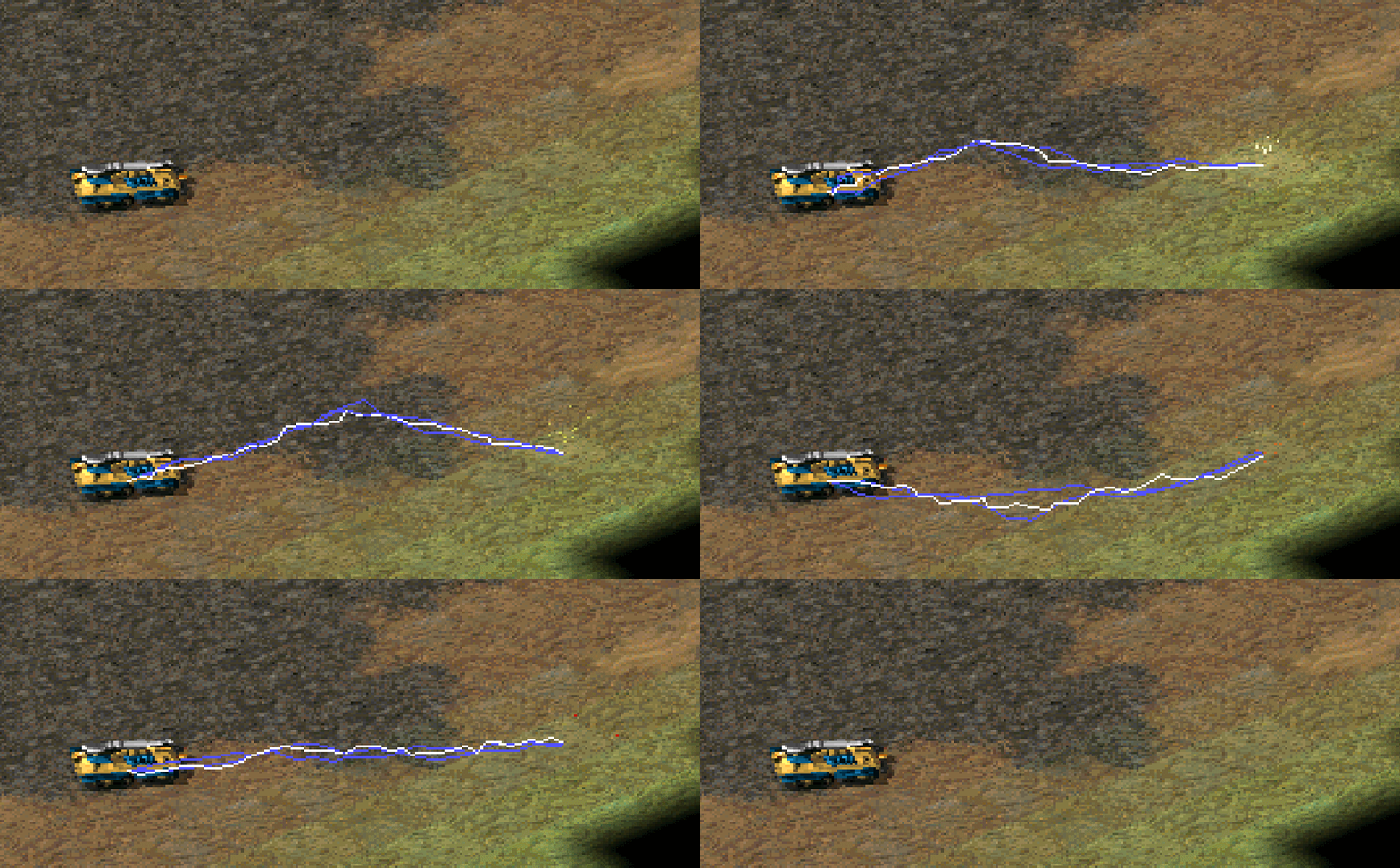
Suicide
Vinifera adds the
Suicidekey or WeaponTypes from Red Alert 2, and adds an additional controlDeleteOnSuicidefor alternative behaviour.
In RULES.INI:
[SOMEWEAPON]        ; WeaponType
Suicide=no          ; boolean, will the firing unit commit suicide when this weapon is fired?
DeleteOnSuicide=no  ; boolean, logical option for Suicide=yes which will instantly remove the unit from the game world instead of dealing full damage.
Note
DeleteOnSuicide=yes mimics Red Alert 2 behavior.
OmniFire
Vinifera implements
OmniFirefrom Red Alert 2 forWeaponTypes.
In RULES.INI:
[SOMEWEAPON]  ; WeaponType
OmniFire=no   ; boolean, does the unit firing this weapon not have to perform a turn to face its target before firing.
Note
OmniFire only applies to UnitTypes.
Disguise
In the original game, disguised infantry are completely undetectable by the AI, or any units. Vinifera changes this so that the AI can see through disguise by default, and the AI can be configured not to see through disguise. TechnoTypes can now also optionally see through disguise.
In RULES.INI:
[AI]
AIDetectDisguise=yes ; boolean, are AI houses allowed to target disguised enemy units?

[SOMETECHNOTYPE]
DetectDisguise=no    ; boolean, are instances of the techno type allowed to automatically target disguised enemy units?
Iron Curtains
Vinifera implements the Iron Curtain effect from Red Alert 1, available only for the AI and map scripting at this time.
In RULES.INI:
[General]
IronCurtains=RAIRON           ; comma-separated list of BuildingTypes that can cause the Iron Curtain effect
IronCurtainDuration=675       ; integer, how long the Iron Curtain effect lasts in frames
IronCurtainRechargeTime=9900  ; integer, how long it takes for a house's Iron Curtain to charge after it has been used

[AudioVisual]
IronCurtainFlashRate=8                 ; integer, the rate, in frames, at which the Iron Curtain pulse "animation" progresses to the next brightness phase
IronCurtainFlashIntensityMultiplier=50 ; integer, multiplier for the Iron Curtain pulse brightness modifier (def=50). 1000 brightness units is equal to regular fully-lit lighting
IronCurtainPulseTable=-16,-15,-14,-13,-12,-13,-14,-15 ; list of integers, defines the brightness phases and raw brightness rates of the Iron Curtain pulse effect (def=-16,-15,-14,-13,-12,-13,-14,-15).

[SOMEUNIT]
IronCurtainPriorityTarget=no ; boolean, if set to yes, the AI will apply the Iron Curtain to this unit when its HP is about to drop below half. Requires the AI to have an Iron Curtain building available and the Iron Curtain charged
AI Harvester Count
Vinifera allows customizing the number of harvesters the AI builds per refinery.
In RULES.INI:
[AI]
HarvestersPerRefinery=2,2,1       ; list of integers, number of harvesters the AI builds per refinery by difficulty level, from hardest to easiest
AIOneHarvesterInSingleplayer=true ; boolean, is the AI limited to one harvester per refinery in singleplayer regardless of difficulty, like in the original game?
Harvester Under Attack Event
In the original game, EVA can alert you needlessly often when a harvester is being attacked. Vinifera allows you to throttle the frequency of the alert.
In RULES.INI:
[AudioVisual]
HarvesterUnderAttackThrottleTime=0.0  ; float, minutes that EVA is forbidden from alerting about a harvester being under attack after last alerting about it. Automatically scaled by game speed (iow. it's real-life minutes)